Buyer's Guide
Everything you need to start bidding on CayMark Auctions — from registration to winning your first auction.


Your Journey Starts Here
Your Next Vehicle Is Waiting
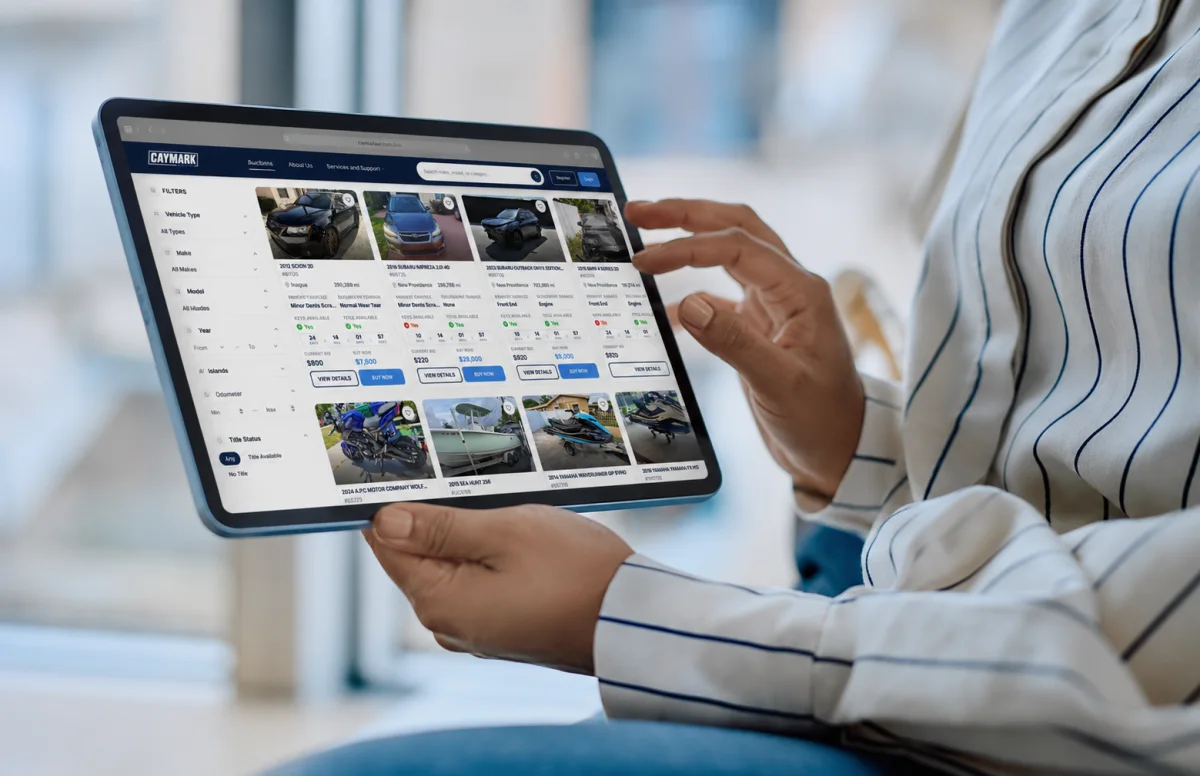
No matter what vehicle you're searching for next, CayMark Auctions makes the buying process easier by bringing transparent auction listings from across The Bahamas right to your fingertips. Browse a wide selection of vehicles, compare your options, and bid only on the listings that match your needs, your preferences, and the price you're comfortable paying. Through competitive online auctions, you'll have the opportunity to secure great deals while shopping from anywhere. Security and transparency are built into every stage of the buying journey. Your personal information, payments, bids, and deposits are handled with care from beginning to end. Every feature is designed to make buying online feel straightforward and reliable. That way, you can concentrate on securing a vehicle you'll be proud to own.
Don't watch the clock. Make your move and bid on your next vehicle today.
Why Buy on CayMark Auctions?
Whether you're searching for your next car, truck, boat, jet ski, motorcycle, or heavy equipment, CayMark Auctions connects you with quality listings from sellers across The Bahamas. Every auction is designed to provide a fair and transparent bidding experience, giving you access to detailed listings, high-quality photos, and essential vehicle information so you know exactly what you're bidding on before placing your bid.
Standard Buyer
Get started bidding on CayMark.
Per Month
Upgrade anytime
Premium Buyer
Unlimited bidding with total confidence.
Per Year
Annual subscription · Renews each year
Buyer Benefits
Verified Sellers
Buy with greater confidence knowing all sellers must complete CayMark Auctions' verification requirements before listing on the platform.
Detailed Listings
Access descriptions, photos, specifications, and available documentation to help you make informed purchasing decisions.
Browse More Listings
Access a growing inventory of vehicles and assets from sellers located across The Bahamas.
Bid on Multiple Auctions
Increase your bidding power to participate in multiple auctions at the same time.
Instant Notifications
Receive real-time updates when you've been outbid, win an auction, receive important account alerts, or when watched auctions are nearing their end.
Secure Messaging
Communicate directly with sellers through CayMark Auctions' secure Messaging Center after successfully winning an auction.
How to Bid
 1
1
Fund Your Wallet
Add funds to your CayMark Auctions Wallet to activate your bidding power.
 2
2
Find a Vehicle
Search live auctions, review vehicle details, and track your favorite listings.
 3
3
Place Your Bid
Enter your maximum bid. The system will automatically bid on your behalf up to your maximum amount.
 4
4
Win & Collect
Win the auction, complete payment, and arrange pickup or delivery.
After Payment
Post Payment and Vehicle Collection
Once your payment has been successfully paid and verified, the CayMark Auctions Messaging Center will automatically unlock, allowing you to securely connect with the seller and coordinate your vehicle pickup or delivery. All conversations are monitored and recorded to help maintain a safe, secure, and transparent marketplace for both buyers and sellers.
Things to Do When Collecting Your Vehicle
- Inspect the vehicle to make sure it matches the auction listing and is in the condition described.
- Collect all important items and documents, including the title, bill of sale, keys, key fobs, owner's manuals, and any other accessories or paperwork included with your purchase.
- Take photos of the vehicle at the time of pickup, including the exterior, interior, VIN, odometer, and its overall condition for your records.
- Only provide your Transfer Code after you have fully inspected the vehicle and the seller has handed over the vehicle, all keys, documents, accessories, and any other items included in the sale. Your Transfer Code confirms that the handover has been completed, so it should never be shared before you're satisfied with your purchase.

Important: All auction sales are final. However, if you believe the vehicle is materially different from its auction listing or was not accurately described, contact our Support Team immediately at support@caymarkauctions.com. Our Team will review the issue and assist you as quickly as possible before the transaction is finalized.
Frequently Asked Questions
Still Need Help?
Find quick answers to the most common buyer questions.
View All Questions arrow_forwardNo. An active Buyer Membership is required to participate in auctions, place bids, and access buyer features on CayMark Auctions.
A security deposit is a refundable amount that gives you bidding power and confirms that you're a serious buyer. Security deposits do not count toward the purchase price of a vehicle or any invoice. Once your bidding activity is complete, eligible deposits are refunded according to CayMark Auctions' policies.
No. All bids placed on CayMark Auctions are legally binding. Before placing a bid, buyers should carefully review the vehicle details, photos, location, auction terms, applicable fees, and their budget. Once submitted, bids cannot be cancelled or withdrawn.
If you win an auction, payment instructions are issued immediately through your CayMark Auctions account. Full payment must be completed within 72 hours of receiving your invoice. Failure to pay within the required timeframe may result in account restrictions or additional penalties.
Before bidding, buyers should always review the vehicle's location. If your purchase is located on another Island, you'll need to arrange transportation after payment has been completed. You may coordinate directly with the seller through your Messaging Center to discuss pickup or available delivery options. If you need additional assistance, the CayMark Auctions Support Team can help guide you through the process.
Security deposits are not required for Buy Now purchases. Security deposits only apply to qualifying auction bids. When purchasing a vehicle through Buy Now, you simply pay the listed purchase price along with any applicable buyer fees.